
 Drum Atlas
Roland JUNO-106

One oscillator per voice, six voices and a chorus that widens the sound.
Roland introduced the JUNO-106 in 1984, with MIDI and 128 program memories.
- Voices
- 6
- Keys
- 61
- Sound design
- DCO
- Introduced
- 1984
Sound & character
The JUNO-106 combines digitally controlled oscillators with analog filters and amplifiers. Saw, pulse, sub-oscillator and noise form the starting sound. Sliders keep the controls approachable; programs store the settings.
Model & versions
This dossier covers the original hardware. The JUNO-6 and JUNO-60 are distinct models; the JUNO-106 includes MIDI and 128 program memories. The contemporary Roland Cloud version is software, not vintage hardware.
How the sound works
Choose a section and discover what it does.
DCO
The DCO supplies the basic tone; pulse width, sub-oscillator and noise change the starting material.
What to checkCompare individual waveforms with chorus off.
Open the manual ↗Explore in depth
Digitally controlled, analogue sound
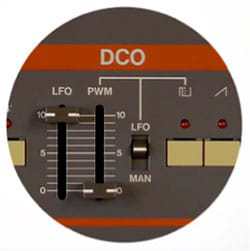
A DCO is not a sample player. Digital control stabilises pitch; waveforms and the following filters and amplifiers belong to the analogue sound architecture. Sawtooth, pulse, sub-oscillator and noise provide different ingredients for a patch.
Chorus adds space
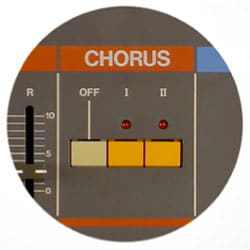
The built-in chorus has two modes. It widens the sound and changes how a patch sits in a mix. Compare the dry sound, chorus I and chorus II at the same volume, listening through both audio outputs.
Roland · JUNO-106 Owner’s Manual ↗ · Roland · Icon Series: JUNO-106 ↗
Programs and MIDI
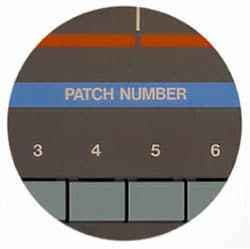
The 128 programs store your sounds. The MIDI Function switch controls which data is exchanged; mode III includes SysEx. A MIDI cable alone does not guarantee that an external editor can control every parameter. Check settings and back up before overwriting memory.
Roland · JUNO-106 Owner’s Manual ↗ · Roland · Icon Series: JUNO-106 ↗
Recognise the versions
JUNO-6, JUNO-60 and JUNO-106 are separate models. Roland also describes JUNO-106S and HS-60 versions with built-in speakers. A Boutique JU-06 or Roland Cloud instrument is a later digital recreation, not an original JUNO-106. Assess the model label, connections and service history together.
Roland · JUNO-106 Software Synthesizer ↗ · Roland · Icon Series: JUNO-106 ↗
Try listening yourself
A short listening exercise on the instrument. Use a copy of your sound and change one setting at a time.
- Choose a simple patch and disable chorus. Play a chord and change only the filter frequency.
- Compare sawtooth and pulse, then add a little sub-oscillator without changing other settings.
- Compare dry, chorus I and chorus II. Save your program before experimenting further.
An editorial exercise, not our own listening test or a built-in audio demo.
Specifications & sources
- Keys
- 61
- Voices
- 6
- Sound source
- DCO + sub + ruis
- Program memory
- 128
- Connection
- MIDI
- Effect
- Chorus
Sources checked: 7 October 2026.
This dossier covers the original hardware. Controls and technical data are based on manufacturer documentation; buying checklists are our editorial suggestions. No in-house listening test or valuation.
Experiences & questions
Loading experiences…
Explore more
Vintage Corner →
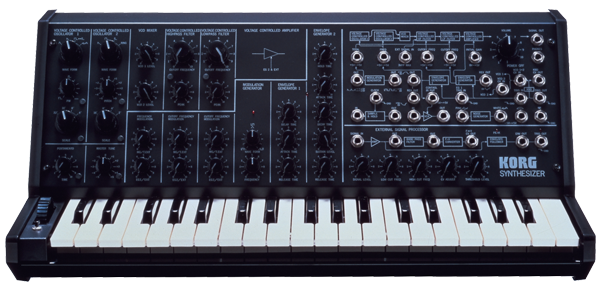
MS-20
Two oscillators, high- and low-pass filters and a patch panel for new connections.
Open dossier →